Kids Blocks Puzzle with Animal Laser Cut: A Guide to Precision and Play
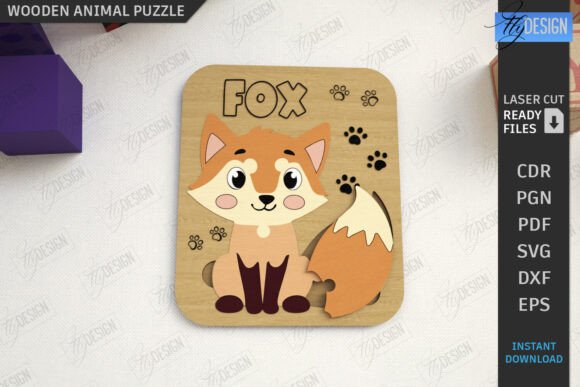
Creating educational toys that blend tactile learning with visual appeal is a rewarding venture for any maker. The Kids Blocks Puzzle with Animal Laser Cut represents a perfect intersection of craftsmanship and child development. These wooden puzzles are not merely pastimes; they are tools for fine motor skill enhancement, shape recognition, and cognitive growth. However, transitioning from a digital design file to a polished, safe, and engaging physical product requires more than just hitting "start" on your machine. Many creators overlook the nuances of material selection, file preparation, and safety standards, leading to wasted resources and subpar results.
Whether you are a hobbyist looking to create gifts or an entrepreneur building a small business inventory, understanding the technical and practical aspects of this project is crucial. This guide addresses common pitfalls in producing laser-cut animal puzzles and offers actionable advice to ensure your final product is both beautiful and functional.
Understanding the Design Intent and File Compatibility
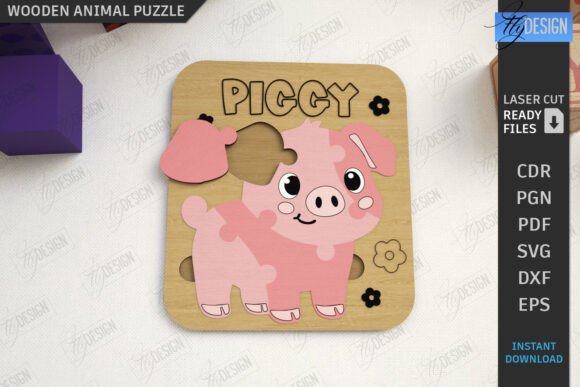
The foundation of any successful laser-cut project lies in the quality of the source file. The Kids Animals Puzzle Laser Cut Blocks typically come as a comprehensive digital package, including SVG, EPS, PNG, PDF, and DXF formats. While this variety seems convenient, it often leads to confusion regarding which format yields the best results for specific software.
A frequent mistake among beginners is assuming all vector files behave identically across different platforms. For instance, users of Lightburn software often encounter dimension distortions when importing SVG files. This happens because SVGs can contain relative units or metadata that some laser controllers interpret inconsistently. If you ignore this compatibility issue, your puzzle pieces may end up slightly too large or too small, resulting in a poor fit within the board. The pieces might fall out too easily or require excessive force to insert, ruining the user experience.
To avoid this, always prioritize the DXF file format when working with Lightburn or similar CNC control software. DXF files are generally more rigid in their definition of dimensions and units, ensuring that the cut lines remain true to the original design specifications. Before cutting your final material, perform a test cut on scrap cardboard or thin plywood to verify that the dimensions match your expectations. This simple step saves valuable wood and prevents frustration.
Material Selection and Safety Considerations
When producing toys for children, safety is non-negotiable. A common oversight is using low-quality plywood that contains high levels of formaldehyde or has rough, splinter-prone veneers. While cheaper materials reduce upfront costs, they compromise the integrity and safety of the Kids Blocks Puzzle with Animal Laser Cut. Splinters are a significant hazard for young children, and toxic adhesives in low-grade wood can off-gas harmful chemicals.
Opt for high-quality Baltic birch plywood or solid hardwoods like maple or walnut. These materials offer a smooth grain structure that cuts cleanly and sands easily. Furthermore, ensure the wood is free from knots and voids, which can cause uneven cutting or breakage during the assembly process. After cutting, thorough sanding is essential. Even with precise laser settings, minor charring or rough edges can remain. Use fine-grit sandpaper to smooth all edges, paying special attention to small, intricate parts like animal ears or tails.
Additionally, consider the finish. Untreated wood is natural, but a non-toxic, water-based sealant can protect the puzzle from moisture and wear while enhancing the wood’s natural beauty. Avoid oil-based finishes that take long to cure or contain volatile organic compounds (VOCs), as these are unsuitable for items handled frequently by children.
Interpreting Cut and Engrave Lines Correctly
The design files for these puzzles typically use color-coded lines to distinguish between operations: RED lines for CUT and BLACK lines for ENGRAVE. Misinterpreting these instructions is a critical error that can ruin a batch of products. Cutting where you should engrave results in fragmented pieces, while engraving where you should cut leaves the pieces attached to the main sheet, requiring manual separation that often damages the delicate edges.
Before sending the job to your laser cutter, double-check your software’s layer settings. Ensure that the red layers are assigned to cutting parameters (higher power, slower speed) and the black layers are set for engraving (lower power, higher speed). It is also wise to review the nesting of the pieces. Efficient nesting minimizes material waste, but ensure there is enough spacing between pieces to prevent heat buildup, which can cause warping or unintended burning.
Enhancing Usability and Educational Value
A puzzle is only as good as its usability. One overlooked aspect is the tolerance between the puzzle pieces and the board slots. If the fit is too tight, young children may struggle to place the blocks, leading to frustration. If it is too loose, the pieces will not stay in place, defeating the purpose of the activity. Achieving the perfect fit requires calibration. Start with a test piece and adjust your kerf compensation settings in your design software. Kerf refers to the width of the material removed by the laser beam. Accounting for kerf ensures that the pieces fit snugly but smoothly.
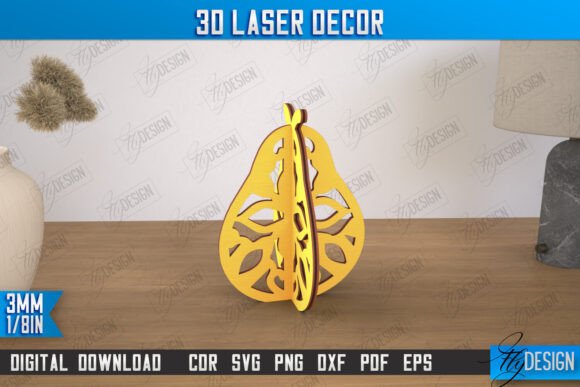
Moreover, consider the educational narrative. The Cute Animals 3D Laser Cut CNC File designs are not just shapes; they are representations of real-world entities. Enhance the learning experience by pairing the physical puzzle with verbal cues. When a child places the lion block, name the animal, discuss its habitat, or mimic its sound. This multi-sensory approach reinforces learning and makes the toy more engaging for parents and educators alike.
Final Checks Before Production and Sale
Before scaling up production or listing your Kids Blocks Puzzle with Animal Laser Cut for sale, conduct a thorough quality audit. Check every piece for sharp edges, loose veneers, or burn marks. Ensure that all small parts are securely attached if the puzzle is intended for younger children who might put objects in their mouths. Although these puzzles are generally for older toddlers and preschoolers, safety standards vary by region, so familiarize yourself with local regulations regarding toy manufacturing.
If you are selling these digitally, provide clear instructions on file usage. Remind buyers about the Lightburn DXF recommendation and offer support for different file types if needed. Clear communication reduces customer support queries and builds trust. For physical sellers, invest in eco-friendly packaging that reflects the natural aesthetic of the wooden toy. A well-presented product enhances perceived value and encourages repeat customers.
By paying attention to file compatibility, material quality, safety standards, and user experience, you can create a Kids Animals Puzzle Laser Cut Blocks product that stands out in a crowded market. Avoid the common shortcuts that lead to poor quality, and instead focus on precision and care. Your attention to detail will result in a durable, safe, and enjoyable toy that supports child development while showcasing your craftsmanship.
For those interested in exploring more designs or needing specific adjustments to file formats, reaching out to designers for custom requests can be beneficial. Whether you need a different size PNG for marketing materials or a modified vector for specific machine constraints, open communication with creators ensures you have the right tools for success. Keep refining your process, stay updated on laser cutting best practices, and continue creating meaningful products for families.